Introduction
Dosto, hum saari tarah ki galtiyan karte hain - aur technology ke maamle mein toh ye galtiyan bohot mahangi pad sakti hain! Aaj ki blog mein hum batayenge woh common mistakes jinhein Indian users bar-bar karte hain, aur kaise aap inhein bach sakte hain.
Yeh mistakes aapke paise bacha sakte hain, aapki privacy protect kar sakte hain, aur aapki digital experience ko bohot behtar bana sakte hain.
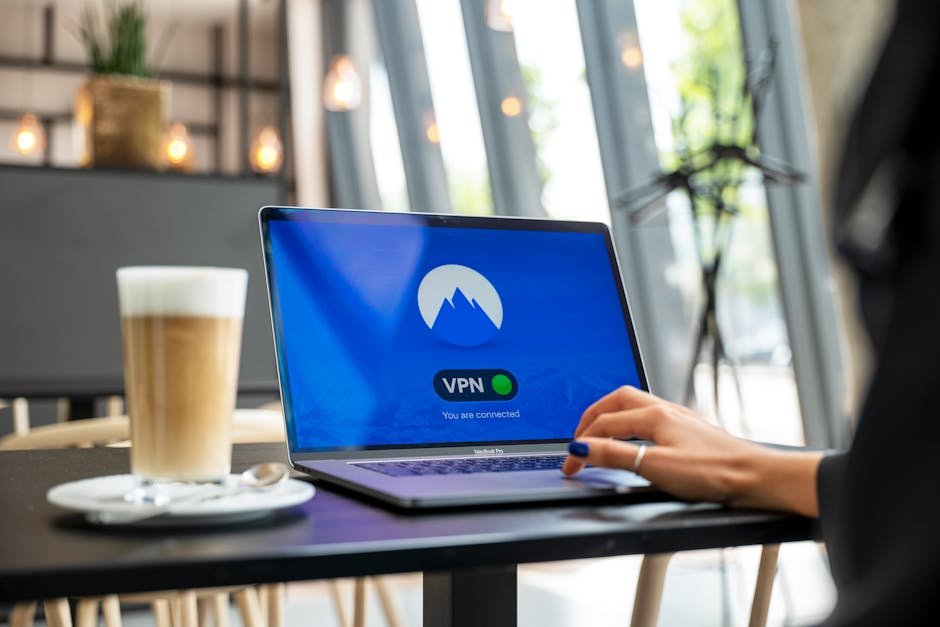
Mistake #1: Public Wi-Fi par banking ya sensitive kaam karna
The Mistake: Coffee shop, airport, ya railway station ke free Wi-Fi par internet banking, online shopping, ya password enter karna.
Why it's dangerous: Public Wi-Fi networks bohot insecure hoti hain. Hackers easily:
Aapki data intercept kar sakte hain (man-in-the-middle attack)
Fake hotspots banakar aapki credentials steal kar sakte hain
Malware inject kar sakte hain aapke device mein
The Fix:
Use mobile data
for sensitive transactions (it's encrypted by default)
If you must use public Wi-Fi
Always use a VPN (Virtual Private Network)
Free VPN options
ProtonVPN (limited free tier), Windscribe (10GB/month free)
Never save passwords
on public computers
Always log out
after using shared devices
💡 Pro Tip
Ek cheez yaad rakhein - agar koi service "free" hai, toh shayad aapka data hi uski real product hai!
Mistake #2: App permissions ko bina soche accept karna
The Mistake: "Install" button dabate waqt "Accept All" dabana, aur padhe bina ki kya kya permissions maang rahi hai app.
Common Over-Permissions:
Flashlight app
maangti hai contacts, location, microphone access? 🚩
Simple game
maangi hai SMS read karne ki permission? 🚩
Photo editor
maangi hai call logs access? 🚩
Why it's dangerous:
Apps can sell your data to third parties
Location tracking can compromise your safety
Microphone/camera access can lead to privacy invasion
SMS access can lead to OTP theft and financial fraud
The Fix:
Always review permissions
before installing any app
Use Android's permission manager
Settings → Apps → [App Name] → Permissions
Disable unnecessary permissions
(does a calculator app really need location?)
Use alternative apps
that respect privacy (check F-Droid store for open-source options)
Regularly audit
your app permissions (monthly habit)
Android 13+ Tip: Use "approximate location" instead of "precise location" for apps that don't need exact GPS.
Mistake #3: Weak passwords aur usko everywhere use karna
The Mistake: "password123", "12345678", ya apni birthday ka use karna aur usi password ko email, banking, social media sab jagh par laga dena.
Why it's dangerous:
Ek site ka data leak hua, toh hackers try karte hain usi password ko dusre sites par
Automated bots can crack simple passwords in seconds
Phishing attacks become more effective when you reuse passwords
The Fix:
Use unique passwords
for every important account (email, banking, social media)
Use a password manager
Bitwarden (free, open-source), KeePassXC (local storage)
If you must remember
Use passphrases like "CorrectHorseBatteryStaple" (4+ random words)
Enable 2FA everywhere possible
(Google Authenticator, Authy - NOT SMS based if avoidable)
Check if your email has been leaked
HaveIBeenPwned.com
Indian Context: Jab bhi OTP aaye, confirm karen ki kisan service se aaya hai (bank name, etc.) - fake OTP scams bohot common hain.
Mistake #4: Software updates ko ignore karna
The Mistake: "Update later" button dabate chalana, aur phone/laptop ko months tak update na karna.
Why it's dangerous:
Security patches nahi lagte hain - hackers known vulnerabilities exploit karte hain
Miss out on performance improvements and new features
App compatibility issues aakte hain (nayi apps chalti nahi hain)
Battery drain issues nahi solve hoti hain
The Fix:
Enable automatic updates
where possible (OS level)
Set a monthly reminder
"First Sunday of every month - Update Day"
Update apps individually
via Play Store/App Store (takes 2 minutes)
Don't ignore OEM updates
(Samsung, Xiaomi, etc. often release security patches)
For PC
Use Ninite or Patch My PC for easy bulk updates
💡 Special Note
Android security updates are critical - try to get phones with guaranteed 3+ years of updates.
Mistake #5: Phishing links par click karna (SMS/WhatsApp/Email)
The Mistake: "Aapka jeet liya hai!", "Bank account block ho gaya hai!", ya "Parivar member accident mein" jaise urgent messages par click karna.
Why it's dangerous:
Fake login pages steal your credentials
Malware download hota hai aapke device par
Financial fraud ho sakta hai (UPI, net banking, wallet theft)
Identity theft ka risk badhta hai
The Fix:
Always verify the sender
- official banks never ask for PIN/OTP via link
Check the URL carefully
- paytm.com vs paytm-secure-login.com
Never enter credentials
via links in SMS/WhatsApp/email
Go directly to official app/website
by typing URL yourself
When in doubt, call customer care
using official number from website (not from message)
Enable spam filters
in messaging apps
Red Flag: Messages creating urgency/fear - "Immediate action required!", "Account will be closed!"
Mistake #6: Data backup nahi karna
The Mistake: Sochna ki "mera phone safe hai", ya "kabhi hoga nahi mere saath", aur important photos, documents, contacts backup nahi karna.
Why it's dangerous:
Phone lost/stolen = memories gone forever
Accidental delete = no way to recover
Phone damaged/water damage = data recovery expensive or impossible
Ransomware attack = pay to get your own data back
The Fix:
Use cloud backup
Google Photos (free for limited quality), iCloud, OneDrive
Local backup
Monthly copy to PC/external hard drive
Automate it
Set up automatic photo backup when on Wi-Fi
Important documents
Use Google Drive/Dropbox with 2FA enabled
Contacts
Sync to Google account (check Settings → Accounts → Google → Sync Contacts)
Follow 3-2-1 rule
3 copies, 2 different media, 1 offsite
Indian Specific: Jab bhi phone change karte hain, pehle backup confirm karein, phir data transfer karein.
Mistake #7: App ke bahar se APK install karna (bina verification)
The Mistake: "Free premium features" ki lalach mein, random websites se APK download karke install karna.
Why it's dangerous:
APKs can contain malware, spyware, or ransomware
Can steal your banking credentials, OTPs, personal data
Can make your phone part of a botnet for DDoS attacks
Can send premium rate SMS from your number (you pay the bill!)
The Fix:
Only install from official sources
Google Play Store, Apple App Store, Samsung Galaxy Store
If you must sideload
Verify the source is official (XDA Developers for trusted mods, GitHub for open-source)
Use antivirus
Bitdefender, Malwarebytes, or Avast mobile (free versions available)
Check app signatures
- verified developers have proper certificates
Enable "Install unknown apps" only temporarily
and disable immediately after
Regularly scan
your device for malware
Exception: F-Droid store for open-source apps is generally safe (but still check reviews)
Mistake #8: Privacy settings ko ignore karna
The Mistake: App install karte waqt privacy settings ko default par chhod dena, aur sochna ki "theek ho jayega".
Why it's dangerous:
Your data is shared more than you realize
Location history builds up over time
Ad tracking follows you across apps and websites
Your behavior profile gets built and sold
The Fix:
Review app privacy settings
after installation (Settings → Privacy → Permission manager)
Limit ad tracking
Settings → Google → Ads → Opt out of Ads Personalization
Review location history
Google Maps → Your Timeline → Pause/Delete
Check app-specific privacy
Facebook, Instagram, Twitter all have detailed privacy controls
Use privacy-focused browsers
Firefox Focus, Brave (built-in ad/tracker blocking)
Consider alternative apps
Signal instead of WhatsApp for privacy-conscious messaging
Regular privacy audit
Monthly check of what apps know about you
Mistake #9: Cheap, unverified chargers aur cables use karna
The Mistake: ₹100 ka charger le lena yaar "chalta hai" ke naam par, ya door ke bazaar se fake cables kharid lena.
Why it's dangerous:
Fire hazard
Poor insulation can cause short circuits
Device damage
Inconsistent voltage can fry your phone's charging circuit
Battery damage
Slow charging, overheating, reduced battery lifespan
Data theft risk
Fake cables can contain chips that steal data when connected to PC
Safety risk
Electric shock possibility (though rare with modern phones)
The Fix:
Use OEM chargers
or certified third-party (Anker, Aukey, Belkin, Amazon Basics)
Look for certifications
BIS (Bureau of Indian Standards), CE, FCC, UL marks
Check amperage/wattage
Match it to your phone's specifications (usually in box/manual)
Avoid "ultra-fast charging" claims
that seem too good to be true (physics has limits!)
Check cable quality
Thicker wires, better connectors, strain relief at ends
Replace immediately
if charger/cable gets unusually hot during use
Use surge protector
for expensive equipment
💡 Pro Tip
Ek achha charger 3-4 phones tak chal sakta hai - ek bar invest karein, dertak se faayda hai.
Mistake #10: Screen protector aur case nahi lagana
The Mistake: "Phone ka design kharab ho jayega", ya "screen gorilla glass hai, chot nahi lagayegi", yaar "case se gharmi lagti hai".
Why it's dangerous:
Screen repair costs
₹8,000-₹15,000+ for flagship phones
Back glass repair
Often more expensive than screen (due to wireless charging coil)
Resale value drops
significantly with visible damage
Water resistance compromised
if seals are damaged
Camera lens scratch
affects photo quality permanently
The Fix:
Use tempered glass screen protector
(₹300-₹500 range, lasts 6-12 months)
Use a good case
TPU (flexible) or polycarbonate (rigid) - not just for looks
Consider rugged cases
if you're clumsy or work in tough environments
Don't forget camera lens protector
(small circular glass piece)
Replace protector immediately
if you see cracks or chips
Clean regularly
- dust under protector can cause micro-scratches
For foldable phones
Follow manufacturer's recommendations specifically
Indian Context: Monsoon season mein extra careful rahiye - water damage se bachana zyada important ho jata hai.
Conclusion
Technology mistakes se bachna ek ongoing process hai - ek baar seekh liya, toh har baar yaad rakhna hai. Lekin ye chhoti si habits aapki digital zindagi ko bohot safe, secure, aur stress-free bana sakti hain.
Aapka challenge: Agle haftte ek mistake choose karein joh aap регулярно karte hain, aur usmein improve karein. Next week baatein karenge ki kya seekha!
*Yeh thi hamari "Tech Mistake" series ki pehli blog. Agle hfte aayegi: "AI Tools Se Productivity Kaise Badlayein - Free Tools Guide" (AI Tool Tutorial series)*